Drupal block interpolation
The Minimal Version
- Create display view
- Create a form view
- Create a normal select list field with names relative to the display and form view
- Apply to your paragraph block using the the select list field you created
- Entity reference display module DOES NOT need to be installed?
Interpolation
Reuse fields from the components/fields directory to create other components
important_links > field_custom_cards > field_custom_card (field_title, field_image, field_icon, field_links, field_content)
Repeater field examples:
- link
field_custom_cardstofield_custom_card - link
field_linkstofield_link
Block display mode
- Create a paragraph block with a container field of somesort
Create a custom view mode - ensure the view mode is enabled on the content that the paragraph field is referencing ie: create the view mode under microcontent
/admin/structure/display-modes/viewif that is the content you are referencing.- Create a list field and add in the display view as a list item
- Under manage display for your new view mode hit the cog wheel and update the view mode to be your new view.
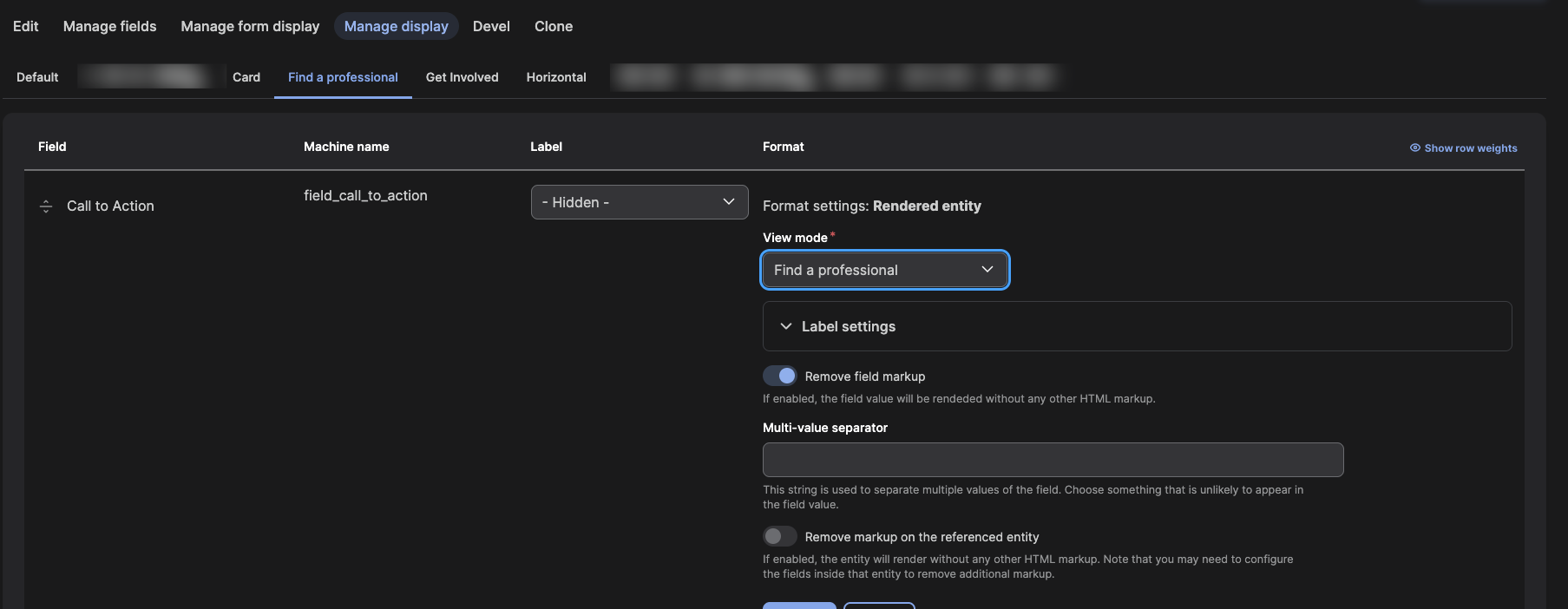
also you need to enable the view mode on the content doing the referencing so you can configure the reference. they can be the same name.
Use a hook based on the status of the view mode dropdown (use a link selector) to force set the view mode.
remember to configure the view on your newly enabled view rather then the default.
Its this multi-tied approach that allows you to
- output multiple instances (repeater field)
- set the display mode of the output
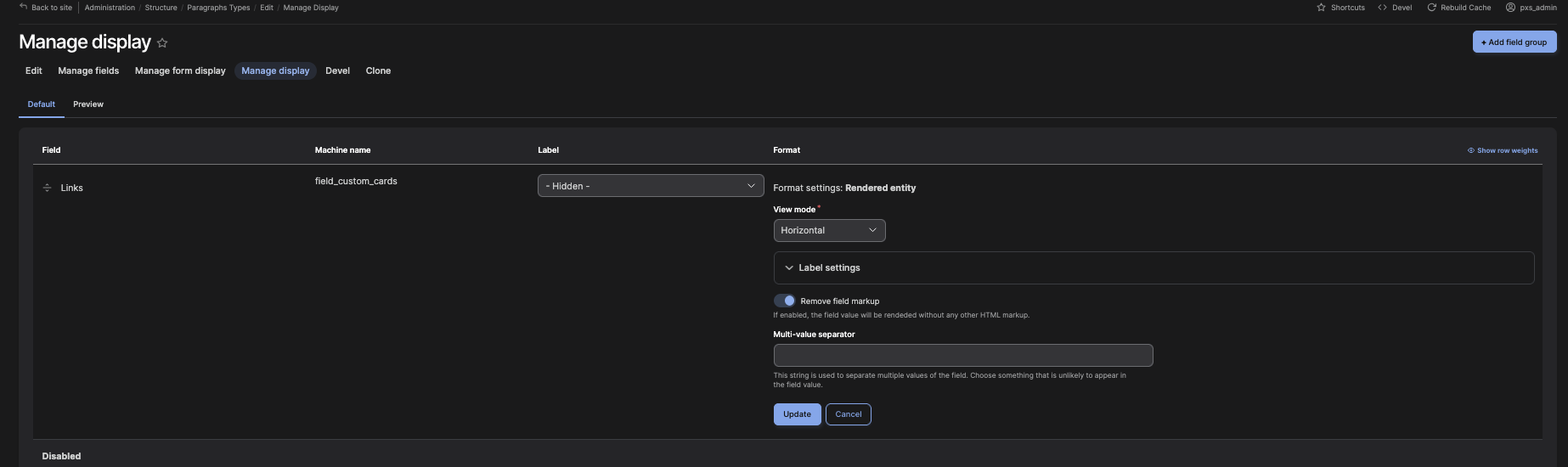
the way blocks are set to display
troubleshoot
blockmodule blocks wont use your custom templates for views-views templates so dont even bother trying to force a custom template approach for this. Use spegetti code on the templates that are working.
structure
templates
- paragraph
- paragraph–important-links.twig
- paragraph–cards.twig
- paragraph
components
- fields
- field-content.twig
- field-header-region.twig
- field-image.twig
- field-link.twig
- field-links.twig
- field-title.twig
- icons
- arrow.twig
- email.twig
- external.twig
- phone.twig
- layouts
- custom-header.twig
- paragraphs
- paragraph-image.twig
- paragraph-link.twig
- paragraph-links.twig
- paragraph-text.twig
- sections
- box
- box.twig
- box.yml
- call-to-action
- call-to-action–horizontal.twig
- call-to-action.twig
- call-to-action.yml
- card
- card.twig
- full-card.twig
- half-card.twig
- horizontal-card.twig
- quarter-card.twig
- link
- contact-card-link.twig
- link.twig
- menu-link.twig
- box
- summary
- summary.twig
- titles
- title.twig
- fields
Global Blocks
To archive flexible page layouts made up of global block content.
Prerequisites
- Install paragraphs module
- Install block field module
- Paragraphs module configured and added to a basic page content type
Key parts
- Create a block. it can be of a custom block type
- Create a paragraph type admin/structure/paragraphs_type
- Add a field and choose block(plugin)
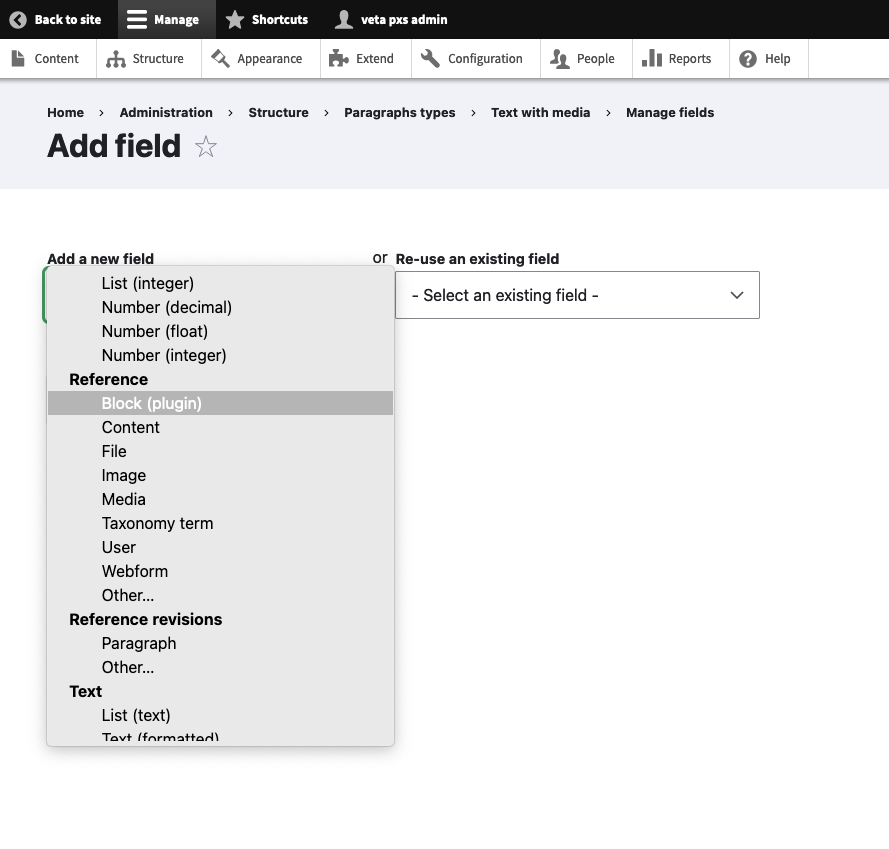
- Set the default value to your block on the edit field settings page.
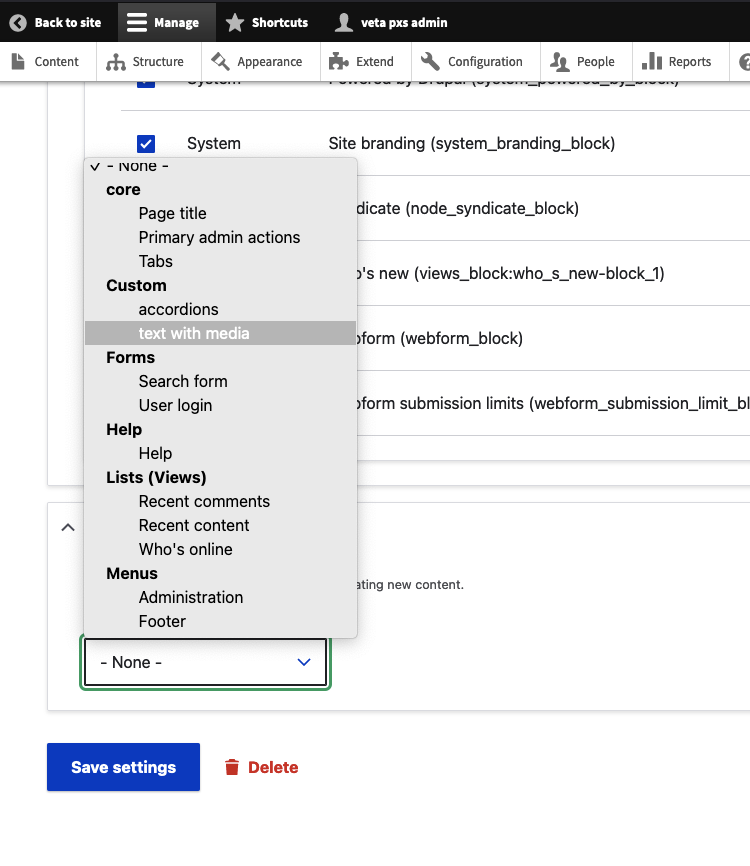
- Add your global block to the page using paragraph module
Create a page builder
Create a page builder for your drupal pages by utilising nested paragraph blocks
- more info
- custom paragraph blocks